How to Clean an Oscillating Fan
If your oscillating fan isn’t blowing as smoothly or looks dusty, you might be wondering how to get it clean without damaging it. A good cleaning can improve performance and extend its lifespan.
You’ll learn the straightforward steps to safely remove dust, wash the blades, and make sure your fan runs quietly again. Let’s dive into the tips to keep your fan in top shape.
Disassembly Safety and Supplies You’ll Need
Gather your supplies: a soft cloth, a mild soap solution, and a non-drip damp cloth for plastic parts. Avoid gasoline, paint thinner, or abrasive cleaners because they can damage the finish and pose safety hazards. Set the fan on a stable, dry surface, and keep children and pets away to prevent accidents. Focus fully on these preparatory steps before you begin disassembly to ensure safety and protect your equipment. For first-timers, it is helpful to review the correct placement of the fan to ensure stable airflow during cleaning. During disassembly, keep all parts organized to prevent loss, as noted in the removal of external grilles and blades. For those also servicing a window unit, a similar air conditioner comparison can help identify the best models for cool comfort. When selecting a new fan, consider whether a filter-free design might simplify your cleaning routine.

Efficient cleaning: This set includes 3 bendable fan dusters with microfiber heads, fan cleaner allowing you to easily remove dust and dirt from ceiling fans, floor vent fan,air conditioning vents, curtains, and more.

12-Piece Assorted Set: Includes 12 microfiber duster sticks in six colors, with two of each color. Each stick is approximately 10.2 in (26 cm) long, which are rugged and stable, and can clean narrow spaces and reach places that ordinary dust collectors can't reach

Compatible with Swiffer Hand Duster:These reusable duster refills are specifically designed for seamless compatibility with all Swiffer handles, including the short handle, extendable handle, and ceiling fan super extender handle (Handle is Not Included)
How to Disassemble Your Oscillating Fan Without Breaking It
To disassemble your oscillating fan without breaking it, follow these steps carefully. First, remove external fasteners such as clips, tabs, or a retaining screw from the front grille. Use a flathead screwdriver to gently release plastic tabs—apply even pressure to avoid snapping them. Once the grille is removed, carefully handle the blades. Most fans secure the blades with a spinner nut that may have reverse threads, so turn it slowly and evenly, rocking if needed, rather than yanking. Additionally, remember to unscrew and take off the ring and blades as part of the cleaning and disassembly instructions. For optimal efficiency, consider applying practical guidance like scheduled cleaning reminders similar to smart thermostat maintenance. Reducing humidity with a dehumidifier can also help prevent centipedes that are attracted to damp fan areas. Next, detach the oscillation knob before opening the motor housing. Some knobs conceal a small screw, while others clip on with tabs. Keep all parts organized based on their location for easy reassembly. Finally, separate the motor housing by releasing the plastic locking tabs one at a time. Using a dehumidifier can also help reduce musty odors that may collect on fan components. Use controlled prying to avoid breaking any tabs, as broken tabs can complicate putting the fan back together.

Alloy-steel blades are heat-treated for strength and durability.


STRENGTH AND DURABILITY: Made of heat-treated alloy steel
The Best Way to Clean Fan Grills and Blades (Dry Dust Removal)
Disconnect and unplug the fan to prevent electrical accidents before cleaning. Check your fan’s manual for any specific disassembly instructions, ensuring you follow safety guidelines. Use a soft brush to remove dust from the grills and blades without scratching the surfaces. Work from the top of the grill downward so that dust falls onto already cleaned areas, making cleanup more efficient. Then, use a vacuum with a brush attachment to pick up loose debris. For fine dust, wipe with a dry microfiber cloth; if dust residue is stubborn, lightly dampen the cloth. When cleaning the blades, make sure to clean both sides whenever possible. The same principle of avoiding excess moisture applies to oscillating fans as it does to cool mist humidifiers. Avoid spraying any liquids near the motor to prevent damage. Finish the cleaning process by thoroughly drying all surfaces with a clean cloth to prevent moisture buildup. This dry removal method is especially effective because excess humidity can cause dust to become sticky and harder to clean. Using a replacement filter at the proper intervals helps maintain clean airflow and reduces dust accumulation in the fan.

【Upgraded Sturdy 5 PCS Feather Duster Kit】: Tiumso dusters for cleaning include a bendable microfiber duster head, a chenille duster head, a crevice brush, a cobweb duster, and a telescoping pole. Perfect for furniture, corners of high ceilings, ceiling fans, blinds, windows, webers, cars, bookshelves, sofa etc. With its lightweight feature, easy for both adults and children to use.

Fan Cleaner and Fan Duster Set: This set includes 2 bendable fan dusters with microfiber heads, easily removing dust and dirt from ceiling fans, floor fans, air conditioning vents, curtains and more for daily home cleaning.

【Multipurpose】: This duster with 4 duster cloth, can be used for both interior and exterior car cleaning, as well as for daily household cleaning. It is lightweight, easy to use, and highly efficient.
How to Wash Sticky Fan Blades With Warm Soapy Water
Sticky residue clings to fan blades because of built-up kitchen grease and humidity, and these require a thorough wash to remove. Start by unplugging your fan to prevent accidents. Prepare a cleaning solution by mixing warm water with a few drops of mild dish soap; this helps break down oily grime that can hinder fan performance. For stubborn buildup, add a splash of white vinegar to the mixture. For even greater cleaning power, incorporate a tablespoon of toothpaste into the soapy water mixture to help dissolve tough residues. Using a smart thermostat can optimize your home’s energy usage, much like cleaning your fan improves its efficiency. To prevent mold spores from forming in the moist environment, always dry the water tank completely after cleaning. A vinegar rinse effectively breaks down mineral deposits similar to those found on humidifiers.
If your fan blades are removable, wash them separately using a soft cloth or sponge soaked in the soapy water. Gently scrub both sides and edges to lift the residue without scratching the surface. If the blades aren’t removable, dampen a cloth with the solution and carefully wipe each blade, taking care to avoid the motor and electrical components. Rinse the cloth often in clean water to ensure all soap residue is removed. After cleaning, dry the blades thoroughly with a lint-free cloth to prevent moisture from causing rust or damage. Ensuring complete dryness before reassembling the fan is essential for optimal air circulation and longevity.
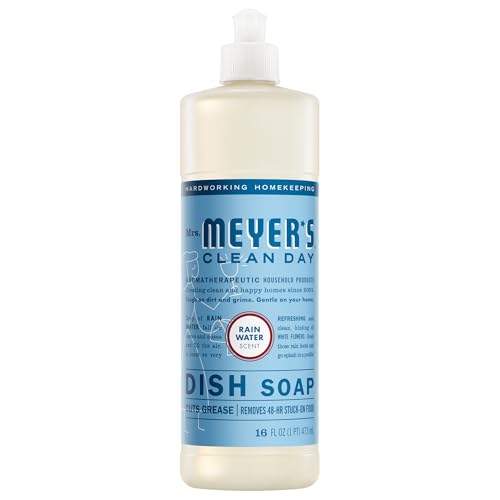
This liquid Dish Soap cuts through grease, while making dishes clean and bright

This liquid Dish Soap cuts through grease, while making dishes clean and bright

POWERFUL AND EFFECTIVE: Our new and improved Liquid Dish Soap easily cuts through grease and grime to leave your dishes sparkling.
When to Wash Blades vs. Just Dusting (From Mild to Sticky Grime)
If dust is light and powdery, dry dusting is sufficient. Use a microfiber cloth or extendable duster weekly to keep buildup at bay. However, when dust appears caked, dull, or sticky, a wash is necessary. Check your fan blade material—plastic or metal—before choosing a cleaning method. For sticky grime from kitchens or humid areas, wash the blades with warm, soapy water. Always prioritize using a safe cleaning solution; avoid harsh chemicals that could damage the finish or motor. If dusting alone doesn’t remove residue, switch to a damp cloth for a better clean. Regularly inspecting the blades helps determine when to dust and when to wash. Match your cleaning approach to the level of grime to ensure your fan stays clean and efficient. Always unplug the fan before cleaning to eliminate electrical shock risks. For heavily soiled blades, consider that an air purifier works by capturing particles as small as 0.3 microns from the air. Using a dehumidifier for mold prevention in humid rooms can reduce the sticky grime that builds up on fan blades.

What's Included: Includes 1 washable, reusable microfiber duster head and 4 detachable pole sections that assemble into 1 extension pole. The modular design lets you add or remove sections for different cleaning heights around the home.

【Dusting Brush】You will get 2 pcs microfiber dusters for cleaning (1 pc grey + 1 pc blue) for your replacement needs, ensuring you have reliable cleaning tools to switch back and forth to use.

SCRATCH-FREE CLEAN: Ultra-soft microfiber fabric gives a scratch-free clean and traps dirt and debris. Use these lint-free cleaning cloths dry for dusting furniture and wiping down surfaces, or for quick wipe-downs on glass and mirrors.
What to Avoid When Cleaning the Motor Housing
To avoid damaging the motor housing during cleaning, keep water, harsh cleaners, and compressed air away from it. Never spray cleaners directly into openings; instead, apply cleaner to a cloth first. Moisture from water can seep into wiring and cause electrical shorts or malfunctions, so avoid spraying or pouring liquids near the motor. Use a dry microfiber cloth or a vacuum brush to remove dust—avoid abrasive scrub pads or bleach-based products that can damage finishes and leave residues attracting more dust. Do not force brushes or tools into tight vents, as this risks pushing debris further inside. Never reassemble or plug in the fan until the motor housing is completely dry to prevent electrical hazards. Remember that dirt, soot, and dust accumulation are common issues, so regular cleaning prevents buildup. Using a vacuum brush attachment is effective for gently dislodging debris from the fan’s rear intake vents without forcing particles inward. For stubborn dust, consider constructing a DIY humidifier filter to capture airborne particles before they reach the motor housing.
How to Dry and Reassemble Your Fan the Right Way
Make sure every part is completely dry before you reassemble the fan. Use a clean microfiber cloth to wipe down the blades, grilles, and covers, ensuring all moisture is removed. Then, let these parts air-dry for at least 15 to 30 minutes to prevent any dampness from reaching the motor or electrical components, which could cause damage. To further guard against mold and buildup, regularly clean the fan using a soft brush or vacuum to remove dust before it accumulates. For optimal performance, also check that the fan’s oscillation feature is functioning smoothly after reassembly. Once everything is dry, reattach the fan blade onto the shaft, aligning it with any pins or indentations to ensure proper fit. Tighten the retaining nut snugly but avoid overtightening, especially on plastic threads, to prevent stripping. Reinstall the front grille and secure all clips firmly, checking that all parts sit flush without gaps. For placement, choose a stable, level surface to prevent wobbling or tipping. Practice neat cord management by routing the power cord away from foot traffic to avoid accidents, ensuring both safety and proper ventilation for the fan. When reassembling, ensure all wiring connections are correctly labeled and secured to prevent power loss from wire fatigue. For additional protection against airborne particles, consider pairing your fan with a dedicated air purifier designed for continuous use in your bedroom.
Why You Should Test Your Fan on Low Speed After Cleaning
Testing your fan on low speed after cleaning is essential because it helps you quickly verify that mechanical and friction issues have been resolved. Dust and pet hair can hide in places like the oscillation gearbox or around the blades, causing resistance that diminishes power efficiency. Running the fan at low speed makes it easier to detect lingering problems such as slow startup, stiff oscillation, or unusual resistance before you increase to higher speeds.
This simple step supports the longevity of your fan. If it hesitates or struggles on low, it indicates that lubrication, bearings, or the capacitor may need attention. Running it gently at low speed also reduces motor load, protecting internal parts from residual moisture or debris. A smooth, quiet operation at low speed confirms the fan is ready for regular use and helps prevent future breakdowns. Faulty capacitor affects startup torque, so a slow startup on low speed can reveal this issue even if the fan eventually spins.
How Often Should You Clean an Oscillating Fan?
Cleaning an oscillating fan weekly is recommended for optimal performance, especially if it’s used daily or in dusty environments. For fans in high-traffic areas or during summer months, cleaning every one to two weeks may be necessary to prevent dust buildup. Regular dusting keeps the blades and grill free of debris, which can improve airflow and extend the fan’s lifespan.
Deep cleaning, including disassembling parts if possible, should be done every one to three months depending on use and environment. Fans in kitchens or humid areas might need monthly deep cleans due to grease and moisture accumulation. For less dusty indoor spaces, a quarterly deep clean is usually sufficient. Always watch for visible dust or dirt, which signals it’s time to clean more thoroughly. Adjust your schedule based on how often the fan runs and the environment’s dust levels.
How to Keep Your Fan Dust-Free Between Deep Cleans
To keep your oscillating fan dust-free between deep cleans, follow these quick routines. First, rub a dryer sheet over the blades and grilles. The light waxy coating provides an anti-static effect that reduces dust adhesion, making future cleaning easier.
Place your fan away from drafty windows and high-traffic carpeted areas. This positioning helps minimize the amount of airborne dust that can settle on the blades and grilles. For a fast dust prevention routine, grab a microfiber cloth or vacuum with a brush attachment to wipe down grilles and vents. Always unplug the fan before cleaning and avoid heavy sprays near the motor, as residue can attract more dirt.
For stubborn dust in tight slats, use compressed air to dislodge particles, working over a drop cloth or in the kitchen to contain the mess. Remember to dust surrounding surfaces regularly, since debris on nearby furniture or countertops can transfer back onto the fan. These simple steps can significantly extend the time between deep cleans and help your fan stay dust-free longer.