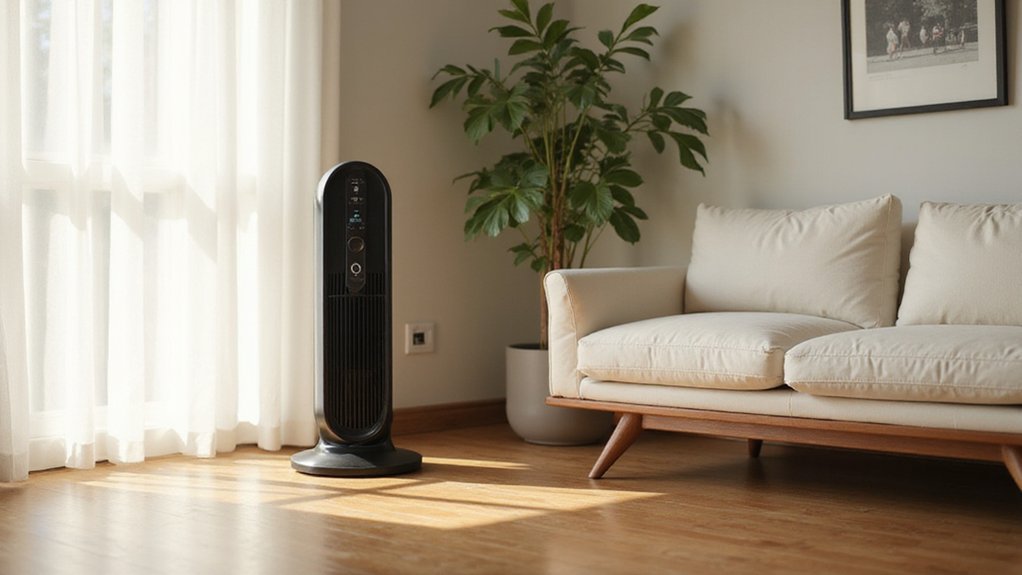
How to Use a Lasko Tower Fan
If you’re wondering how to get your Lasko tower fan up and running smoothly, you’re in the right place. Setting it up properly ensures you’ll enjoy cool, comfortable air with minimal hassle.
Once assembled, just plug in the fan, press the power button, and adjust the speed to your liking.
From oscillation to remote controls, I’ll walk you through everything so you can master your fan in no time.
Setup Steps Before Turning On Your Lasko Tower Fan
Before turning on your Lasko tower fan, ensure all parts are present and undamaged. Unbox the main unit, base pieces, screws, and remote control. Assemble the base by aligning its sections and locking them clockwise until they click into place. Use the screws to secure the fan body to the base, routing the cord through its designated channel. Position the fan on a firm, level surface that is free from obstacles to ensure stable airflow. Install fresh AAA batteries in the remote, making sure they are placed with the correct polarity. If the remote does not respond, double-check the batteries for proper orientation or signs of missing or reversed batteries. Once assembled and the remote is operational, plug the fan into a standard 120V outlet to get started. The fan’s tall height ensures effective air circulation even in larger rooms, enhancing overall coverage. For correct placement, ensure the fan is positioned away from windows to avoid blocking the exhaust vent as you would with a portable air conditioner. For a different cooling option, consider window air conditioners from the top picks available. When prioritizing long-term maintenance, choose a model with a replaceable filter to keep the air clean and reduce replacement costs.

FILTER REPLACEMENT: Includes three replacement filters designed specifically for Lasko Ascend and Apex Tower Fan models, OST100 and RST200.

Nispira Tower fan screen designed to filter dust, pollen, pet hair/ dander

Compatible with Lasko OST100 Ascend Tower Fan and RST200 Apex Tower Fan. Precision-cut design ensures a proper fit and stable placement during use.
How to Turn On and Cycle Speeds on a Lasko Tower Fan
Press the Speed button repeatedly to cycle through the three speed settings. Most models follow the sequence high, medium, then low. Low speed is quiet and ideal for nighttime use, while medium provides comfortable cooling for everyday comfort. High delivers maximum airflow for hot rooms or when quick relief is needed. Many fans remember your last chosen speed after powering off, so you won’t need to reselect it each time you turn the fan back on. You can also use the remote control for the same speed adjustments from across the room. The fan’s quiet operation at high speed makes it suitable for bedrooms, and its wood grain finish blends well with home decor. For even greater cooling in a small space, consider a portable air conditioner as a more powerful alternative. To keep your fan working efficiently, wipe the grille monthly and ensure the surrounding area stays dust-free. To prevent mold buildup, it is also recommended to periodically clean the fan blades with a soft brush. Proper maintenance helps preserve airflow and prolongs the life of your fan. For a more versatile lighting solution, consider a model with integrated LED lights that provides both bright illumination and efficient cooling.

POWER YOU CAN FEEL: Beat the heat where standard fans fall short. Producing up to 509 CFM, this high-velocity oscillating fan has 25% more air velocity than traditional room fans. Ideal for remote workers ventilating a home office or mechanics in a hot garage.
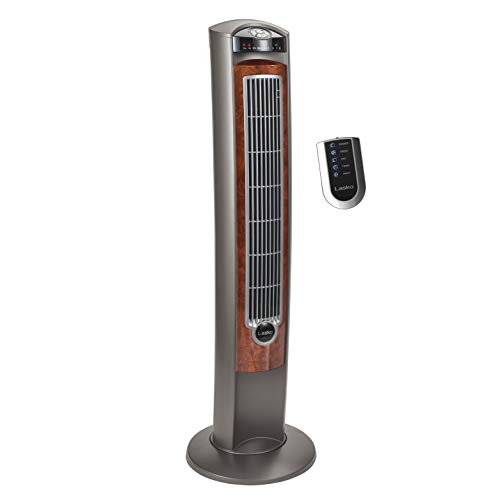
QUIET ROOM FAN: Stay comfortable through the hottest summer nights. A nighttime setting automatically dims the LED controls and lowers fan speed, so you can rest peacefully.

QUIET ROOM FAN: A nighttime setting automatically dims the LED controls and lowers fan speed, so the hottest summer nights don't stand a chance against a good night's sleep.
Using Oscillation on Your Lasko Tower Fan
Turning on the oscillation feature extends the fan’s airflow coverage across a larger area. To activate it, press the oscillation button, which typically has a curved-arrow or rotation icon. Press once to start the side-to-side movement and again to stop it, directing airflow in a fixed spot. Your remote can also control this toggle for convenient operation.
Oscillation widens the reach of your fan, helping distribute cool air more evenly throughout the room. It also reduces noise levels since the breeze isn’t constantly blowing directly at you. This feature is particularly useful in offices or bedrooms where broader cooling is desired. A benefits air purifier works alongside the fan to capture airborne contaminants, improving overall indoor air quality. For improved comfort, a bedroom dehumidifier can also control humidity levels to prevent dampness and musty odors. To prevent mold and buildup from reducing the fan’s effectiveness, regular cleaning of the blades and grille is essential.
If the fan’s oscillation won’t start, check for obstructions such as tangled cords or debris blocking the mechanism. Always unplug the fan before inspecting or clearing the area. If the oscillation continues to fail, reset the fan by unplugging it for at least 10-15 minutes to allow internal systems to reset. If it continues to fail, contact customer support—do not try to force the oscillation mechanism, as it could cause damage.

POWERFUL ELECTRIC SPACE HEATER: Trade the extra layers for real warmth. 1500W of quiet ceramic heat and wide oscillation cover medium-sized rooms, so heat reaches every corner of your bedroom, not just the area by the vent.

QUIET BEDROOM FAN: Three whisper-quiet fan speeds provide personalized comfort without disrupting work, relaxation, or sleep. This oscillating fan delivers gentle, consistent airflow throughout bedrooms, offices, and kitchens.

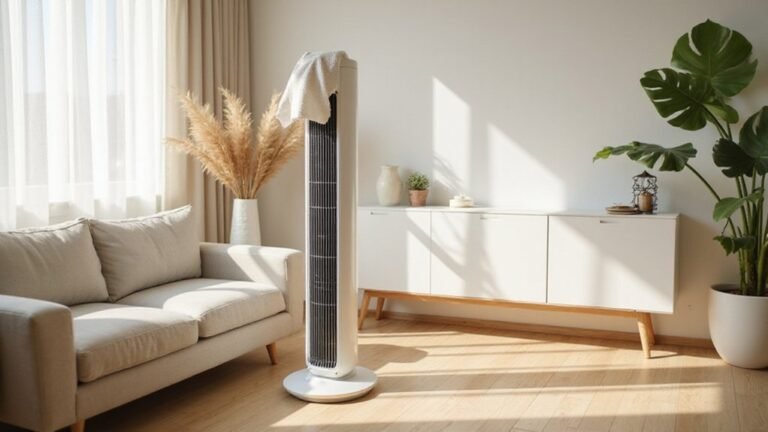
POWERFUL AIRFLOW IN A SLIM 36-INCH FRAME: The Ascend oscillating tower fan delivers 29 ft/s airflow and 40 ft air distance with 90° oscillation, circulating air across bedrooms, living rooms, and home offices from a space-saving 11 x 9.7-inch footprint that fits beside nightstands and desks
Setting the Timer and Sleep Mode on a Lasko Tower Fan
Sleep mode on a Lasko tower fan typically sets a default duration of 6 hours. During this time, the fan gradually dims its lights to create a darker environment, making it ideal for sleeping without bright indicators disrupting your rest. This feature not only enhances comfort but also conserves energy by automatically turning off after the preset period. For users who need operation beyond the sleep mode, the timer function can be set using the dedicated button to select a duration in increments from 0.5 to 7.5 hours before automatic shutoff. To keep the fan working effectively, regular cleaning with distilled white vinegar helps remove mineral buildup. For best results, ensure your fan is placed on a flat surface away from obstructions, similar to the placement guidelines for a smart thermostat. Always refer to your specific model’s manual to confirm the exact sleep mode settings and duration, as they can vary between models. For homes with pets, pairing this fan with a pet air purifier can further reduce airborne dander and odors for cleaner indoor air.

25% MORE AIR VELOCITY: Combines tower fan for bedroom design and oscillating fan power, making it an ideal fan for room spaces

ADJUSTABLE SPEEDS SETTINGS: This Lasko white pedestal fan features 3 speed settings that allow you to increase or decrease the airflow according to your preferences. Whether you want a gentle breeze or a strong gust of wind, this fan has you covered.

POWERFUL COOLING: Three quiet speeds deliver personalized comfort without disruptive noise, making this tall fan ideal for light sleepers. Widespread oscillation sends a refreshing breeze across your skin and throughout every corner of your bedroom or living room.
Try These Extra Features: Ionizer, Light, and Remote
You’ll appreciate the remote control for managing all major functions—power, speed, oscillation, timer, and the ionizer—without leaving your seat. The remote mirrors the fan’s top-panel controls, allowing you to make adjustments from across the room with ease. This feature is especially useful in bedrooms or while relaxing, so you can turn the ionizer on or off without interrupting your comfort. The ionizer charges air molecules to attach to particles and drop them to the floor, improving air quality without physical filters. Using a dehumidifier can also help by reducing the indoor humidity levels that attract centipedes. For a similar blend of convenience and space-saving design, consider a low profile ceiling fan with built-in lighting and remote operation. When choosing any heating or cooling device, prioritize top picks for quality that balance energy efficiency and quiet operation, as verified by independent performance tests.

【Note】Please make sure your old remote control is same with the right ones listed in the main picture ( Remote control on the right ).

This is replacement remote control, not original, but it works well. We made this remote for you to replace your old remote.
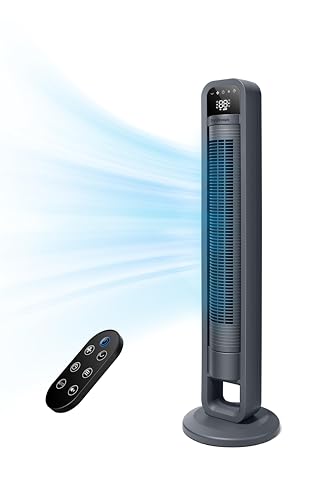
4 Fan Mode Choose: Normally/ Natural/ Sleep/ Auto Mode. Natual wind: blended wind speeds that simulate a natural outdoor breeze. Sleep Mode: Gradually decelerates the wind speed for comfort throughout the night. Auto Mode: automically adjust the fan speed accoring to the room temperature for the most optimized settings and engery savings.
Fix a Lasko Fan That Won’t Power On or Oscillate
If your fan still won’t power on or oscillate, a blown internal fuse is likely the cause. However, do not open the unit yourself, as this can void your warranty. Instead, contact Lasko support for assistance. They can guide you through troubleshooting options or arrange for repairs if necessary. The fuse is designed to blow when the motor draws excessive current from a locked-up motor, preventing burnout. To keep your fan running smoothly and avoid strain on the motor, consider regular maintenance like dusting the blades and vents, as proper airflow is key to efficient operation. Using a humidifier can also help reduce dry air irritation that may contribute to nasal discomfort. For more effective moisture control, consider pairing your fan with a dehumidifier with drain hose to maintain consistent humidity levels.