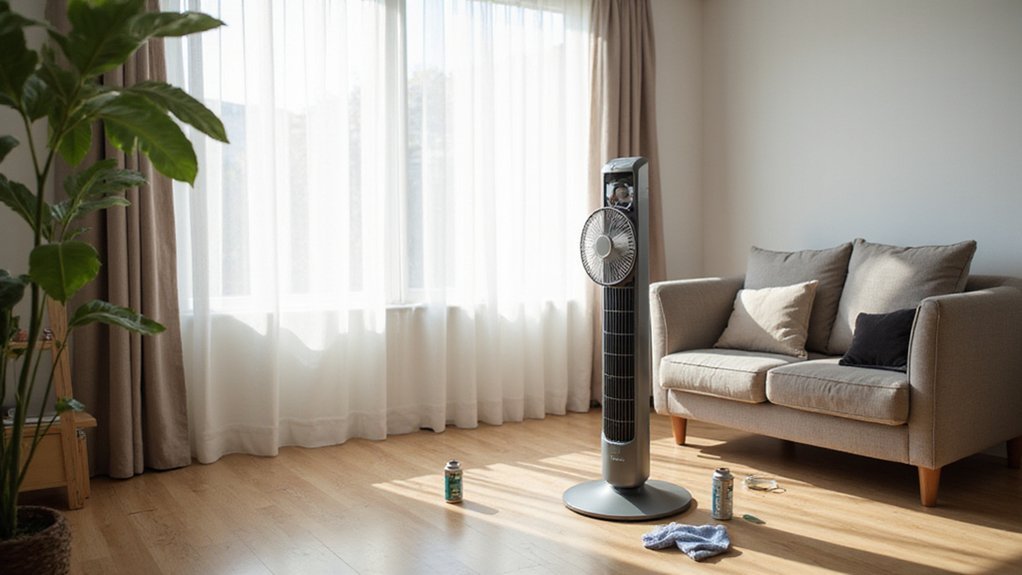
How to Clean a Holmes Tower Fan
If your Holmes tower fan has started making more noise or isn’t cooling as well as it used to, it might just need a good cleaning. Dust buildup inside can cause the fan to work harder. Quieter operation is often restored by a simple maintenance routine.
In this guide, you’ll learn how to safely open your fan and clear out the dust to keep it running smoothly. Follow these steps to help your fan stay quiet and efficient for longer.
Unplug Before You Clean Your Holmes Tower Fan
Unplug your Holmes Tower Fan before cleaning to ensure safety and prevent damage. This allows you to handle the fan confidently, choosing the right cleaning tools like a vacuum brush attachment or a soft, slightly damp cloth. With the fan disconnected, you won’t risk moisture reaching electronic parts or causing electrical short circuits. As discovered during a teardown of a similar model, internal components often have dusty and greasy parts that require thorough cleaning to restore performance. For those interested in sustainably repurposing resources, you might consider harnessing drink dehumidifier water for household cleaning tasks. Be sure to avoid letting water drip into the housing and never use harsh cleaners such as gasoline or abrasive chemicals. When choosing between a tower and pedestal design, the fan’s overall footprint is a key factor in how well it fits your available space. Some of the top-rated window units, for comparison, feature removable air filters that make routine cleaning much simpler. Keep the unit unplugged until it is completely dry and reassembled. Taking this simple step protects both you and your fan from potential hazards.
Gather These Tools Before Starting
Once you have unplugged the fan, gather your cleaning tools. Use microfiber cloths and a vacuum with a brush attachment to remove loose dust. A compressed air canister is helpful for stubborn debris in narrow gaps, while cotton swabs are ideal for cleaning buttons and seams. Keep a Phillips-head screwdriver handy for disassembly and a small container to hold screws. To remove the base, you must also unscrew the collar first.
For wet cleaning, dampen a cloth with a mild soap solution or a mixture of water and vinegar. Never spray liquids directly into the housing to prevent damage. Avoid using abrasives, gasoline, or benzene, as these can harm the fan’s surfaces. A dry towel is essential for drying components after cleaning. Choosing a filtered air solution like those reviewed on top air purifier sites can also help reduce dust in the room. These oils work by wicking up rattan reeds to disperse fragrance gradually, which can mask musty odors if you prefer a scented cleaning environment. For fans with stubborn mold, using a vinegar and water mixture is an effective tip to prevent buildup.
These tools make routine maintenance easier and help troubleshoot performance issues caused by dust buildup. Only use non-abrasive tools and keep electrical parts separate from wet supplies. Safety glasses are also recommended to protect your eyes from dust and debris during cleaning.

10x GRIP-ROOT WEAVE - TRAP MORE, WORK LESS: Ultra-absorbent microfiber towels for car Grip Root weave works like PLANT ROOT FOLLICLES, sucking up & LOCKING AWAY 8x to 10x its weight in liquid, particulates, moisture, grime and dirt in far LESS TIME than traditional ‘Heavy Duty’ Cleaning Rags. Each towel features a 2.5mm thick design, providing enhanced durability and better grip during use.

【Upgraded Sturdy 5 PCS Feather Duster Kit】: Tiumso dusters for cleaning include a bendable microfiber duster head, a chenille duster head, a crevice brush, a cobweb duster, and a telescoping pole. Perfect for furniture, corners of high ceilings, ceiling fans, blinds, windows, webers, cars, bookshelves, sofa etc. With its lightweight feature, easy for both adults and children to use.

Efficient cleaning: This set includes 3 bendable fan dusters with microfiber heads, fan cleaner allowing you to easily remove dust and dirt from ceiling fans, floor vent fan,air conditioning vents, curtains, and more.
Open the Housing Without Breaking Clips or Screws
To open the housing without breaking clips or screws, start by ensuring the fan is unplugged—grasp the plug, not the cord, to disconnect it safely. Your first task is to identify all fasteners, so carefully scan the rear seam, handle area, and top cap for screws. Some models conceal one screw behind a plastic cap, which you’ll need to pry out before removal. After removing all screws, focus on the housing clips. Don’t force the seam; instead, create a small gap using a flathead screwdriver and gently push inward at the tab points until you hear a pop. The back cover usually slides upward rather than straight off because of the clips seated in slots. Use two small screwdrivers to carefully decompress stubborn tabs before lifting. Applying controlled, alternating pressure at multiple clip points helps prevent cracking the plastic or breaking screws. To further avoid damage, use a magnetized screwdriver for picking up small screws during disassembly. Understanding how airflow mechanics affect particle capture can help you assess the fan’s internal performance after cleaning.

PROFESSIONAL DESIGN - Experience long-lasting performance with this comprehensive screwdriver set tool kit, perfect for every home improvement project and professional repair.

【TOP MATERIALS】: Professional screwdriver kit - Made of S2 Alloy Steel, high-end tool steel, the top material in screwdrivers. Excellent impact resistance provides ultra-high torque and hardness, and its strength and toughness and other comprehensive properties far exceed those of chrome vanadium steels.

Top quality magnetic screwdriver set, 10 professional grade screwdrivers that are designed to serve a multitude of uses.
Blow Out Internal Dust Without Damaging the Motor
Unplug the fan and take it outside before cleaning. Use compressed air in short, controlled bursts—never a continuous blast—to dislodge dust from the vents. Spray diagonally rather than straight into the motor housing to avoid forcing debris into the bearings or electrical components, as aiming directly at the motor can risk damage. Focus on both front and back vents to allow loosened dust to escape through multiple paths. For apartments with ongoing humidity issues, pairing this cleaning method with a best dehumidifier can help reduce overall dust buildup in the air. Preventing mold growth also becomes easier when the surrounding air is kept dry. Always let the fan sit for a few minutes after cleaning to allow any settled dust to fall out before plugging it back in.
Pair the blowout with a vacuum brush attachment on the rear vents to immediately capture the airborne dust. Avoid overblasting, as continuous or too-forceful bursts can scatter dust deeper into the unit or into sensitive parts. If there’s compacted buildup, repeat the process in several passes but never insert the nozzle deep into internal gaps near the motor to prevent damage.

Powerful Turbo Fan:WOLFBOX MegaFlow 50 electric air duster reaches speeds of up to 110,000 RPM, effectively removing dust and debris. It features three adjustable speed settings to suit different cleaning tasks.

Powerful Turbo Fan:CAGIWIRU Electric Air Duster have reached speed up to 130000RPM,Can efficient remove dust and debris.With LED light and Three Adjustable Speed to meet with different cleaning tasks.
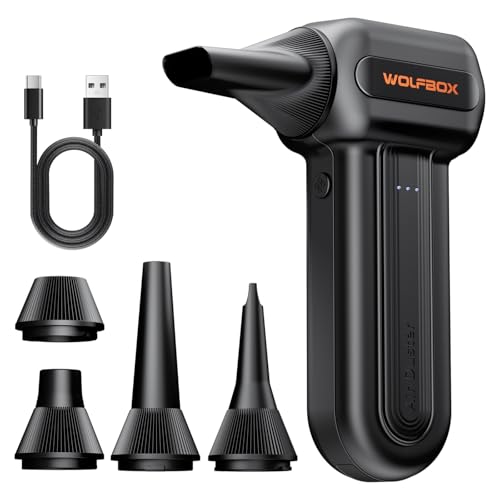
110,000 RPM Power Air Duster: Engineered with a brushless motor reaching up to 110,000 RPM in third gear. This electric air duster blasts away microscopic dust and crumbs from keyboards, computer cases, and radiator fans. "1-min maintenance, 10-min deep clean" for PC gamers and tech enthusiasts.
Clean the Blades and Tight Corners Inside the Casing
To clean the blades and tight corners inside the casing, start by unplugging the fan and carefully removing the housing to avoid cracking plastic clips. Use a vacuum with a brush attachment for initial dust removal, or gently brush with a dry paintbrush to loosen dust from the blade edges. For stubborn buildup, blow compressed air diagonally at the blades to dislodge debris. Then, wipe the blade surfaces with a soft cloth to remove remaining dust and grime. After cleaning, apply lubricant to the motor to help maintain optimal motor performance.
To reach narrow spaces inside the casing, use a cotton bud or a cloth wrapped around a chopstick to clean grid lines, frame seams, and tight corners. Patience is key, as packed dust often requires repeated swabbing or wiping. Be sure to keep water and liquids away from the motor and electronic parts to prevent damage. Before reassembling, verify that all cleaned parts are completely dry to avoid moisture-related issues. For your cool room, ensuring controlled humidity levels prevents rust on metal components and mold growth during reassembly. Unlike ultrasonic models, evaporative humidifiers use a fan to blow air through a wet wick, making them more self-regulating. This approach relies on natural evaporation, which works best when airflow is unobstructed and consistent.
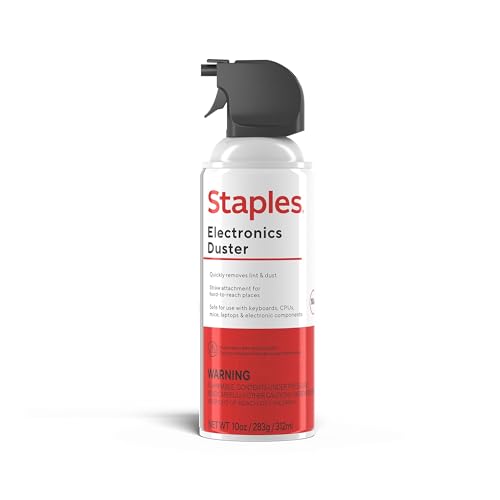
POWERFUL DUST REMOVAL FOR ELECTRONICS – Removes dust, dirt, and debris from keyboards, computers, laptops, printers, gaming consoles, and other sensitive electronics for optimal performance.

Falcon Dust-Off Aerosol Compressed (152a) Disposable Cleaning duster 3 count 10oz. Contains a bitterant to help discourage inhalant abuse

[DITCH CANNED AIR FOREVER] Powered by a 130,000RPM brushless motor and 120W turbo system, this compressed air duster delivers hurricane-force airflow to remove stubborn dust, crumbs, pet hair, leaves, and debris in seconds. Perfect for keyboards, electronics, car interiors, patios, garages, campsites, BBQs, and more. The ultimate electric air duster, blower & outdoor tool you’ll reach for every day.
Wash the Filter When Cleaning Your Holmes Tower Fan
When cleaning your Holmes tower fan, it’s important to clean the filter to maintain airflow and reduce dust recirculation. First, unplug the unit and remove the filter. Check your model’s manual because only washable filters, such as foam pre-filters, can get wet. HEPA or carbon filters, which are non-washable, should not be rinsed with water as they can be damaged. To clean these types, use a vacuum with a brush attachment to remove dust and debris. For washable filters, hand-wash them gently in warm, soapy water. Avoid using an automatic or machine washer, which can cause damage. Rinse the filter thoroughly until all soap residue is gone. Allow the filter to drip dry completely before reinstalling it. Installing a damp filter can lead to moisture entering the fan housing, which could cause damage or mold growth. Regularly cleaning or replacing your filter ensures your fan operates efficiently and maintains good air quality, so it’s also wise to monitor indoor conditions since excess moisture can promote airborne contaminants that settle on your filter. Vacuuming the washable mesh filter with a narrow nozzle maintains its integrity and improves dust removal efficiency without causing damage. For optimal performance, also consider the relative humidity of your room, as higher humidity can increase dust load and affect filter longevity. If you are looking for a different heating solution, a well-reviewed space heater can provide focused warmth without relying on recirculated air.

Manufacturer: THERMWELL

【Maximize Airflow, Trap Impurities】-- Our 60 PPI coarse black foam is engineered for optimal airflow with minimal resistance, while effectively capturing dust, dirt, pollen, and larger airborne particles to keep your air cleaner and your equipment running smoothly.

UNIVERSAL CUT TO FIT AIR FILTER MATERIAL: Generous 24×15×0.25 inch foam filter material roll gives you ample air filter media to customize for virtually any appliance or vent opening. Use sharp scissors or a utility knife to cut to size — the air filter foam cuts cleanly without fraying for precise, custom fits. Replaces costly or discontinued OEM parts and works as a cut to fit AC filter, cut to fit furnace filter, or cut to size air filter for any standard unit. No more hunting for hard-to-find sizes.
Vacuum Surface Dust After Opening (Before Reassembly)
After ensuring the filter is clean and dry, the next step is to clean the housing itself. First, unplug the fan to stay safe during dust removal. Open the unit and inspect the casing, vents, and visible surfaces for dust buildup. Use a vacuum with a brush attachment to gently lift dust without pushing it further into the unit. Focus on vacuuming all front and rear vent slits, holding the nozzle close to maximize dust extraction. While cleaning the fan, you might consider how air purifiers in bedrooms can complement your fan by capturing finer airborne particles. You can incorporate the correct number of drops of cleaning solution into a diffuser to refresh the air, but avoid using any liquid on the fan housing directly. Ensuring fans run smoothly and last longer requires consistent proper fan maintenance. For tight spots with stubborn dust, carefully apply short bursts of compressed air and immediately vacuum to catch dislodged debris. Pay special attention to internal walls, corners, and frame edges where dust tends to settle. Keep the cleaning dry—avoid using water or wet cleaning methods at this stage. Using a cool mist humidifier nearby can also help reduce airborne dust by adding moisture that weighs particles down. Once all visible dust has been removed, the housing will be ready for reassembly.
Don’t Reassemble Until Everything Is Bone-Dry
You must wait until every part is completely bone-dry before reassembling. Check that all washed or wiped components have no moisture remaining. The Holmes manual specifically warns against letting water drip into the fan housing, as damp parts can trap moisture and cause electrical damage once plugged in. Remember that before you reach this drying stage, motors can be washed with soap and water, but they require thorough drying to prevent overheating and failure. Using a dehumidifier in the same room can accelerate drying times and help prevent mold that attracts silverfish.
To ensure thorough drying, air-dry removable grills, covers, and filters in a well-ventilated area. Avoid rushing—slightly damp plastic can transfer water to the motor or wires during reassembly, risking damage. Use a clean, dry cloth to wipe down parts only after they are fully dry. Inspect seams, screw holes, and the motor area carefully to confirm no residual moisture. Internal electronics can’t get wet, so moisture trapped inside can lead to corrosion or odors if reassembled prematurely.
Wait until everything feels completely dry to the touch. Give extra time even after apparent dryness. Proper drying reduces the risk of electrical issues, corrosion, and odors later on. Remember, patience now prevents problems down the line.
Tighten Screws and Snap Panels Back Together Correctly
When tightening screws and snapping panels back together, start by confirming that all screws are present and match their original locations. Holmes base and housing assemblies rely on multiple fasteners for proper alignment and stability. Begin each screw by hand to prevent cross-threading, especially in plastic parts. Tighten screws evenly; avoid fully securing one side before the other, as uneven torque can distort fits and misalign panels. Use only snug pressure—over-tightening plastic threads can strip or crack them. The base consists of two parts that must be assembled, so ensure the posts align with corresponding holes before driving screws.
For panel alignment, ensure posts, sockets, and slots are properly aligned before driving screws. Seat the base halves with the power cord routed correctly to prevent pinching. Check that guard edges sit flush; misaligned tabs can prevent a clean closure. Press panels together until you hear and feel a complete snap. Confirm that no wires are pinched during assembly. After tightening, recheck the clip areas because screw placement can cause panels to shift slightly. Remember, screws alone do not lock everything in place—interlocking posts are also critical for maintaining the structure’s square and stable fit.
Test the Fan Briefly to Verify Reassembly and Airflow
After reassembling the panels and tightening all screws, briefly test the fan to verify proper airflow and functionality. Plug the fan in and start at the lowest speed setting to evaluate initial performance. Keep hands and tools away from moving parts during testing. Confirm that strong airflow is present through both the intake and exhaust grilles. Switch through each speed setting, ensuring the output remains consistent; weak airflow may indicate the need for cleaning or realigning panels.
Listen closely for unusual noises. Scraping sounds suggest parts are rubbing, while clicking noises can signal loose components. If you notice any abnormal sounds, unplug the fan immediately and reinspect the assembly. Activate the oscillation feature to check for smooth, stable motion without wobbling or sticking. Make sure the fan’s base remains level. Finally, verify that the fan powers on normally across all speed settings. If it fails to start or airflow stays weak despite reassembly, seek professional service support. Do not attempt to force the fan to operate.