How to Disassemble a Tower Fan
Thinking about disassembling your tower fan but unsure where to start? Taking it apart can seem tricky, but with the right steps, you can do it safely and effectively.
Removing the outer shell, control panel, and cleaning the blades are key parts of the process. Keep reading to get a clear, step-by-step guide to make your fan look and work like new.
Why You Must Unplug the Tower Fan Before Starting
Unplugging the tower fan from the electrical outlet is an essential first step before starting any disassembly. This ensures there’s no electrical current flowing through the internal components, significantly reducing the risk of electric shock. Even when the fan is turned off, internal capacitors can hold a charge, so removing the plug guarantees no residual power remains. Always grasp the plug firmly and pull it straight out—never yank the cord—to avoid damaging the cord or outlet. Once disconnected, move the fan to a flat, stable workspace to safely proceed with removing panels and handling internal parts. This initial safety measure protects you from shocks, short circuits, and accidental startups during maintenance. For superior cooling solutions, you might consider top portable air conditioners as an alternative to a tower fan. This precaution also aligns with standard repair guidance to ensure the appliance is unplugged before working on any electrical or mechanical components. If you instead prefer a window unit, window air conditioners offer powerful, energy-efficient cooling for larger rooms. For those focused on improving indoor air quality during fan maintenance, a HEPA air purifier can effectively capture fine particles and allergens that a tower fan might recirculate.
Tools You’ll Need to Disassemble a Tower Fan
You’ll likely need just a few common tools to disassemble a tower fan: a Phillips screwdriver, a flat-head screwdriver, a Torx or star bit, and an Allen wrench or hex key. Pliers and cleaning supplies are also useful but depend on your model. The Phillips screwdriver handles most outer screws, while the flat-head screwdriver pries apart clipped seams. Check for Torx screws on your fan’s base or housing, since using the wrong bit can strip them. An Allen wrench may be necessary for internal fasteners in models like QuietSet fans. Pliers help grip stubborn nuts or small parts during maintenance. Always verify your tools’ sizes before applying force, and safety precautions are a must. Once the housing is open, compressed air and a soft cloth make internal cleaning efficient. For models with a flush mount motor assembly, be careful not to damage the wiring harness while separating the base. Remember to loosen screws and nuts by turning counterclockwise until a click is heard, indicating removal. Similar care should be taken when cleaning components near a cool mist humidifier to avoid electrical hazards from water exposure. If your fan has been used in a dry room, you might consider a humidifier for cough to add moisture and improve air quality during use.

3-Piece Offset Screwdriver Set - Includes 3 right angle screwdrivers in Phillips and flat head designs, perfect for reaching tight spaces and hard-to-reach areas.
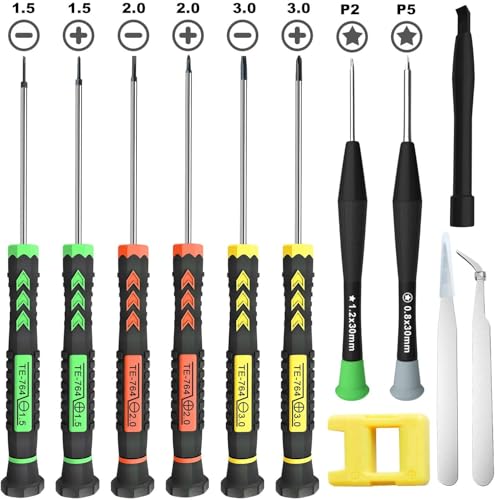
[Package Includes] – 1 x 3.0 Flathead Screwdriver, 1 x 2.0 Flathead Screwdriver, 1 x 1.5 Flathead Screwdriver, 1 x 3.0 Phillips Screwdriver, 1 x 2.0 Phillips Screwdriver, 1 x 1.5 Phillips Screwdriver, 1 x Pentalobe 2 Screwdriver, 1 x Pentalobe 5 Screwdriver, 1 x Helper Stick, 2 x Tweezers, 1 x Magnetizer & Demagnetizer Tool

【Ergonomic Handle】This screwdriver is made of PP and ABS material, dual-material ergonomic handle ensures comfort and reliable slip resistance during long-time use. All magnetic bits are made of high quality CRV steel with high hardness up to HRC52°, more wear-resistant and durable.
How to Remove the Tower Fan Base Without Breaking Tabs
To remove the tower fan base without breaking tabs, follow these steps carefully. First, unplug the fan and clear the power cord from the base area. Place the fan sideways or inverted on a stable surface to access the underside. Before starting, inspect the underside for locking levers, twist-lock collars, or screws. To release the base tabs, press the locking levers simultaneously instead of prying—they are designed to prevent cracks in the plastic support mechanisms. Use a gentle rocking motion to loosen the two halves of the base after the initial release. Avoid over-bending the plastic, as tabs are most prone to breaking when snapped together. If you encounter a twist-lock collar, rotate the base to the release position before lifting. During separation, support both sides evenly to prevent connector binding. Never yank or pull aggressively; instead, pull and slide the components apart gradually. Reassemble by aligning parts carefully and reversing the removal process. A two-person advantage exists for safely managing delicate parts during disassembly and filming. When reassembling, consider how a portable air conditioner often uses similar tab-and-lock mechanisms for its window venting kit. For optimal long-term performance, consider adding a bedroom dehumidifier to manage moisture levels around the fan. For even cleaner air quality, pairing with an air purifier that uses an activated carbon filter can help remove odors and VOCs from the room.

Base Support Function:Provides bottom support for tower fan allowing positioning during daily cooling use in home or office environments

Solid material: made from plastic, this electric fan base is built to withstand wear and tear and is easy to clean,stand holder,floor fan chassis

Compatible with Dreo Tower Fans – Designed to accept the 4 prongs on the bottom of your tower fan. The prongs insert into precision-matched holes on the center plate for a wobble-free connection.
Pop the Outer Shell on Your Tower Fan (Screws and Clips)
Remove the outer shell by first taking out all screws and then disengaging the clips. Begin with screw removal—check the rear handle area and the top-section recessed holes for hidden fasteners. Use a long-shaft Phillips or Torx screwdriver to access these spots, and track the different screw sizes as you go to avoid confusion later. Once all screws are out, focus on the shell clips. The edge seams along both sides conceal snap points, and the bottom clips often require lifting upward. Use a flat-head screwdriver to gently start the first pop at a seam, then work side-to-side with small, incremental pressure. Avoid yanking the cover free until every clip releases. An audible pop indicates you have separated the shell safely. To avoid breakage, never pull the back out forcefully, as the clips slide into specific slots that require alignment rather than brute force. If you are upgrading to a cooling unit with a different form factor, consider reviewing top air conditioners for casement windows to compare installation approaches. Regular cleaning of the exposed fan blades helps prevent mold and buildup from accumulating in the unit. For a quieter and more consistent air movement, consider how electric vs reed diffusers compare in terms of overall performance and maintenance in your home.
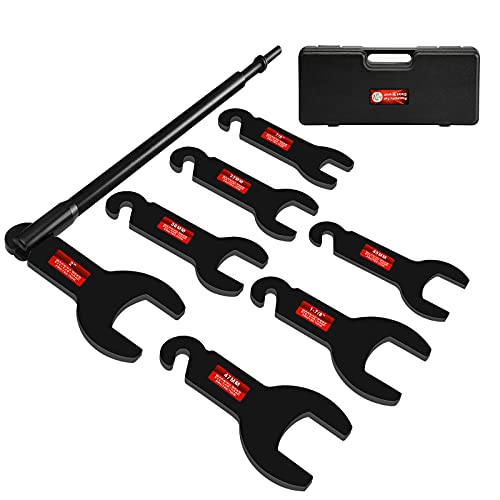
Fitment: Compatible with Ford, GM, Chrysler & Jeep, fit for 4.3L, 5.0L, or 5.7L GM pick up (van, mini-van, or SUV). (Kindly note: please make sure the size you need before purchase)

🚙【Wide Compatibility for Multiple Vehiclesv】 Fan clutch wrench tool compatible with BMW,Ford,GM, Chevrolet,such as E46, E36,E30, E39, E46, E54, E1997, 328i, 330i, 533i, 530i, 540i, 325i, M4, M10, M20, M30, M40, M44, M50, M52, M52TU, M54, M56, M60, M70, M73, S14, S38, S54, S50B30, S50B32, and 1997 Z3 1.9 ECT

Premium Quality: Featuring a 32mm & 36mm fan clutch wrench and a water pump pulley holder, this 2-piece tool kit is designed for efficient fan clutch and water pump removal. The extended-length wrenches provide increased leverage and easier access, while the pulley holder prevents pulley rotation, making repair and replacement jobs faster
How to Remove the Top Control Panel Without Snapping Wires
Removing the top control panel without snapping wires requires careful steps. First, unplug the fan completely to ensure electrical safety, as live wires are located near this panel and handling them energized poses a shock risk. Check your manual for screw locations; most models use Phillips-head screws, though some may require Allen keys. Remove all fasteners fully before attempting to pry the panel away. When choosing a replacement heater, you can look for quality and performance comparable to reputable space heaters.
Use a flat-head screwdriver to gently work along the seam around the panel. Carefully unlatch the plastic clips by applying controlled pressure—avoid yanking upward to prevent breaking the clips. Once all clips are released, lift the panel away slightly to access the wiring connections. To disconnect the wires, unlatch the connectors at their bodies rather than pulling on the cables, which could damage the solder joints. Keep wires clear of your prying tools to prevent strain or damage. To prevent mold and buildup, regularly clean the fan blades and interior after reassembly. Carefully wipe down the rear intake grille to remove dust accumulation that can restrict airflow.
Removing the panel demands patience: force can crack the plastic. Before lifting it completely, double-check that all snaps are disengaged. During reassembly, ensure clips align properly to avoid stress fractures and ensure the panel stays secure. Proceed slowly and methodically to keep wires intact and the panel in good condition. Overdue cleaning may have caused dust buildup that makes the panel stick, so gently wiggle it free rather than prying harder.

【Note】Please make sure your old remote control is same with the right ones listed in the main picture ( Remote control on the right ).

The replacement remote control is suitable for PELONIS Oscillating tower Fan FZ10-19JR PFT40A4AGB PFS45A5BBB PFS45A4ABB, for Midea tower Fan FZ1018TRB.

Compatible Models: PZL replacement remote control for T42905 oscillating tower fan, for T48331 XtraAir tower fan
Release the Internal Fan Assembly in Your Tower Fan
To release the internal fan assembly from your tower fan, start by fully removing the outer shell. Once it is off, locate the bracket or retaining frame that holds the motor or blade column in place. Use a Phillips screwdriver to remove these supports. After freeing the bracket, gently lift the entire blade column upward and out. Do not force it; check for any hidden screws or clips that might still be securing it. Before you can fully detach the assembly, disconnect the motor wiring. Find the wiring connector or the snap that links the assembly to the control area. Carefully unplug it, being cautious not to tear the wiring harness. Take a moment to note the wire routing, as it often passes through side clips that need to be released. Gently wiggle the connector to free it without causing damage. Also, verify the blade alignment before removal to ensure correct reassembly later. Once the wiring is disconnected and the alignment noted, you can lift out the entire internal fan stack as a single module. During this process, ensure that all clips are engaged properly to avoid damaging the frame. Considering overall air quality, a tower fan primarily circulates air rather than filtering particles like an air cleaner does. To improve performance, avoid common mistakes such as placing the fan too close to walls or furniture. Using a soft brush and vacuum can help prevent mold and buildup on the blades and housing.
Find and Remove Dust From the Wind Tunnel and Blades
Unplug the fan before cleaning to ensure safety. Use a brush attachment on your vacuum cleaner to remove dust from the rear grille and front vents, which minimizes mess. Then, blow compressed air in short bursts into the wind tunnel and around the blades to dislodge packed dust from narrow crevices. Immediately vacuum again to capture the loosened debris and prevent it from resettling and obstructing airflow. For stubborn dust balls, utilize a dry paintbrush or cotton swab to break them apart. Wipe accessible blade surfaces with a microfiber cloth to remove remaining dust. Check the base-adjacent areas for hair and remove it carefully with tweezers. Be sure to avoid spraying liquids directly into the housing to prevent damage. For any dust that has settled deep inside the housing, remember that unlike a reed diffuser which uses capillary action to disperse fragrance, a fan has no such passive cleaning mechanism; thus, engage the fan’s turbo mode during a brief, unplugged cleaning session is not possible, so instead use an electronic duster to deliver a strong blast of air that reaches otherwise inaccessible crevices. Understanding that bladeless fans use an air multiplier effect rather than exposed blades can help clarify why their internal pathways require different cleaning approaches.
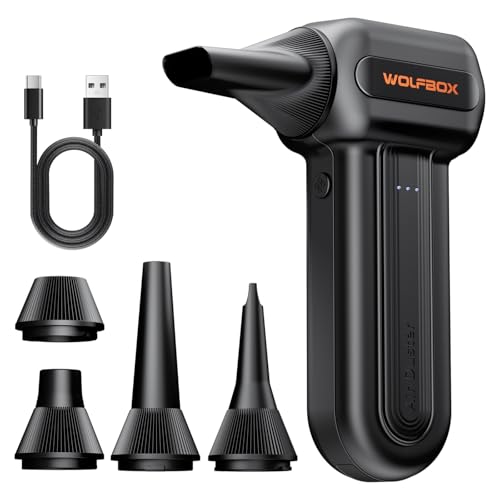
110,000 RPM Power Air Duster: Engineered with a brushless motor reaching up to 110,000 RPM in third gear. This electric air duster blasts away microscopic dust and crumbs from keyboards, computer cases, and radiator fans. "1-min maintenance, 10-min deep clean" for PC gamers and tech enthusiasts.

Powerful Turbo Fan:WOLFBOX MegaFlow 50 electric air duster reaches speeds of up to 110,000 RPM, effectively removing dust and debris. It features three adjustable speed settings to suit different cleaning tasks.

Powerful Turbo Fan:CAGIWIRU Electric Air Duster have reached speed up to 130000RPM,Can efficient remove dust and debris.With LED light and Three Adjustable Speed to meet with different cleaning tasks.
Clean the Motor and Electronics Safely, No Liquids
To clean the motor and electronics safely, start by unplugging the unit to ensure electrical safety. Never use liquids on the motor, circuit board, or wiring, as moisture can cause permanent damage. Instead, opt for dry cleaning methods like using a vacuum with a brush attachment or compressed air. Short bursts of air are most effective for dislodging dust without pushing debris further inside. Work slowly and apply gentle pressure to release clips and tabs, keeping panels supported to avoid stressing attached wires. Carefully inspect around the motor shaft and control area for loose connectors. Confirm all dust and debris have been removed before reassembling the unit to prevent interference or damage. These dry-only cleaning methods and safety precautions will help prolong your fan’s lifespan.
Reassemble the Tower Fan in Reverse Order (No Pinched Wires)
Reassemble the tower fan in reverse order, ensuring no pinched wires occur. Begin by seating the base, top cover, and internal wind tunnel completely before tightening any screws. Engage snap-fit tabs first, then secure them with the appropriate screws—avoid forcing the plastic components. When reinstalling covers, align clips from the bottom upward, gently sliding the cover down until the clips catch securely. Tuck the control panel and motor wiring away from moving parts to prevent pinching or interference during operation. Always double-check that each seam sits flush and that screws are snug but not overtightened. This prevents rattling, vibration, or housing separation, maintaining the fan’s safety and proper function. Pay close attention to returning wires to their original channels, ensuring they do not cross screw posts or pinch points, which could damage the wiring or affect performance. Proper lubrication at pivot points reduces hesitation and prolongs unit life.
Test the Tower Fan After Putting It Back Together
Once the fan is fully reassembled, keep it unplugged for a thorough inspection before powering it on. Check the power cord, plug, and switch area for any visible damage, frayed wiring, or loose connections. Ensure the unit is completely dry to prevent electric shock. Place the fan on a stable, flat surface to avoid tipping during operation.
Next, briefly plug in the fan. Turn it on and test all speed settings to confirm proper function. Observe the oscillation mechanism to ensure it moves smoothly without any sticking or unusual resistance. Listen carefully for abnormal noises such as squeaking, grinding, or rattling, which can indicate mechanical issues. Watch for blades rubbing or excessive wobbling in the base, as these signs can signal misalignment or loose parts. During this test, if the fan lacks back-and-forth movement, the oscillator motor may be faulty.
Perform these checks before extensive testing to prevent further damage. If the fan fails to start, troubleshoot by testing the power outlet, verifying fuse continuity, and inspecting internal wiring connections for looseness or pinching. Run the fan on each setting long enough to verify stable, consistent operation before declaring the repair complete.