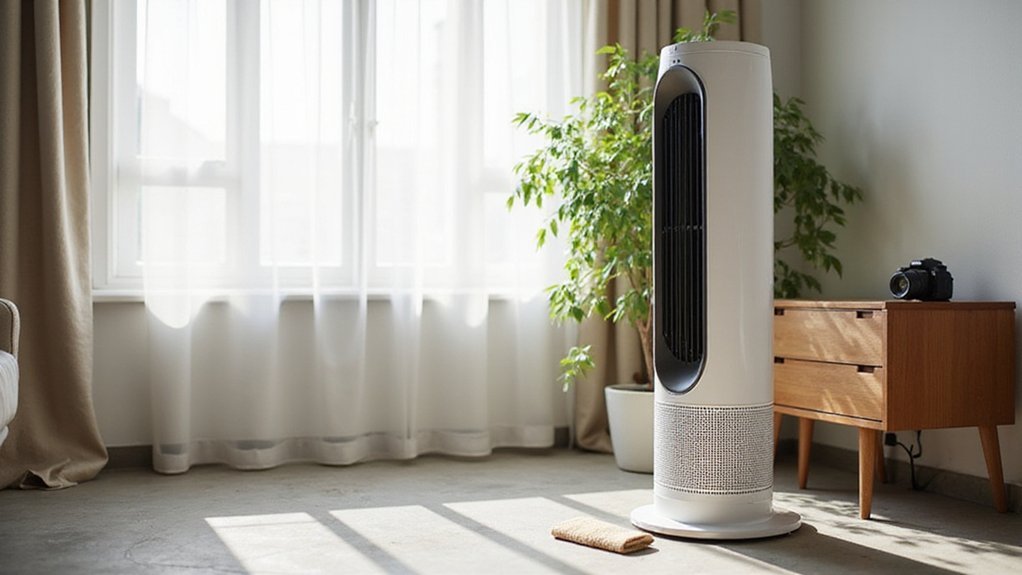
How to Clean a Seville Tower Fan
If your Seville Tower Fan isn’t working as well or looks dusty, cleaning it might be the answer. Regular cleaning helps keep the fan running smoothly and extends its life.
You’ll learn how to safely take it apart, remove dust, and give the blades a fresh look—all without damaging any parts.
Keep reading for a simple, step-by-step cleaning guide.
Why Cleaning a Seville Tower Fan Improves Airflow and Lifespan
Cleaning a Seville tower fan improves airflow and extends its lifespan by removing clogs caused by dust, hair, and debris. These particles quickly block the vents and internal passages, leading to a noticeable decrease in cooling power even when the motor operates at full speed. It’s not a motor problem; it’s an airflow obstruction. Adjusting the fan’s placement or increasing the temperature settings won’t fix a blocked unit. Regular cleaning requires unscrewing bottom screws to access internal components and remove buildup effectively. This process mirrors the principles used when cleaning a dehumidifier, where removing microbial growth from coils and buckets is equally critical to prevent odor and maintain performance. To prevent mold and buildup, it is recommended to wipe down the exterior with a damp cloth and dry it thoroughly after each cleaning session. Using a soft brush attachment on a vacuum cleaner can help dislodge stubborn dust from the fan grille before disassembly.
A clogged fan forces your system to work harder, putting extra strain on the motor and wasting energy for less cooling. Regular cleaning clears these physical barriers, restoring unobstructed airflow and allowing your fan to operate efficiently. You’ll notice immediate benefits: stronger airflow at lower settings, less motor strain, and quieter operation. Consistent cleaning helps your fan perform optimally, prevents premature wear, and prolongs its lifespan. This simple step keeps frustration at bay and ensures your fan continues to cool effectively.
Tools You’ll Need: Screwdriver, Vacuum, Compressed Air, and Soft Brush
To clean your fan effectively without causing damage, gather the right tools first. You’ll need a Phillips-head screwdriver, preferably with a long shaft to reach recessed screws on the access panels, and a thin screwdriver is required for those deeper fasteners. A vacuum with a brush attachment helps remove loose dust from the air filter area and interior vents. Keep a can of compressed air nearby to blast debris from tight gaps around the power cord entry and grill slots. A soft brush, like an old toothbrush, is ideal for gently scrubbing grime without scratching plastic surfaces. Organize the screws on a magnetic tray to prevent losing any small parts. With this basic kit, you’ll be prepared for efficient disassembly and thorough cleaning. For a more complete air quality solution, consider supplementing your fan cleaning with a dedicated HEPA air purifier to capture fine particles that a tower fan simply recirculates. Understanding how air movement affects particle distribution can help you focus cleaning on areas where dust is most likely to accumulate. Unlike enclosed units like portable air conditioners without hoses, tower fans rely on open airflow paths that require regular vent cleaning to maintain performance.
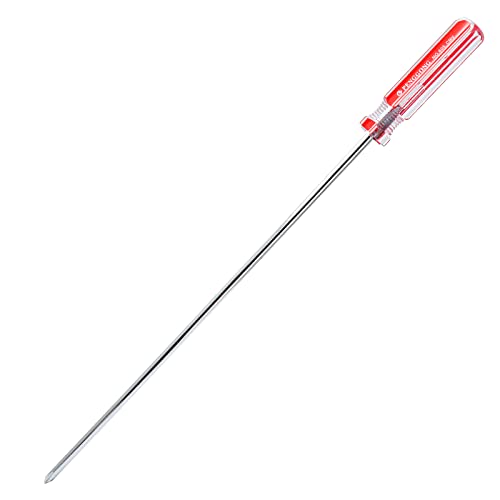
Package Content: 1 x Extra Long Phillips Screwdriver 10 Inch, which is the ideal size and length for the job. The longer length allows you to easily enter the place.
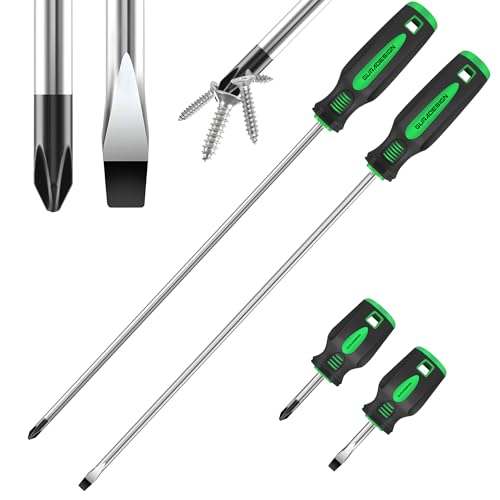
【HIGH QUALITY】: Made of chrome vanadium steel with heat treatment,high hardness, large torque, long service life. 12" Extra long size slotted & phillips screwdriver,ideal for hard to reach awkward areas.

6-Piece set - features 6 of the most commonly used precision-size slotted and Phillips magnetic tip screwdrivers
Step 1: Unplug, Position, and Prep Your Fan Safely
To safely begin cleaning, unplug your tower fan from the electrical outlet. Confirm the unit is fully powered off and disconnected to avoid any risk of electric shock or internal damage. Never handle internal components while the fan is energized, and avoid touching the casing or internal parts until it is completely unplugged.
Place the fan on its side or on a table with a soft towel underneath to prevent scratches and damage. Ensure the unit is stable and accessible, so you can comfortably remove screws and access internal parts without tipping. Move the fan to a well-ventilated or outdoor area, as dust removal creates clouds of debris that you want to keep away from your indoor environment and filters. This outdoor placement prevents indoor dust dispersion during cleaning. Following proper placement tips for your fan helps avoid recirculating dust back into the room. For best results, also consider the ambient humidity level, as higher humidity can cause dust to clump and stick more readily to surfaces. To maintain optimal plant health nearby, a humidifier for Calathea can help balance moisture levels in the air.
Prepare a clear workspace nearby, laying out a container or small parts tray for screws and removed components. Keep everything organized to facilitate reassembly. Handle the housing gently and proceed with care, as clips and seams can be fragile under pressure. This step helps protect the motor and internal components before you start cleaning in earnest.
How to Clean the Exterior of Your Seville Tower Fan Without Opening It
Once the fan is unplugged and laid on a soft surface, you can handle most of the dust and grime without removing a single screw. Start by vacuuming the exterior vents with a brush attachment—move slowly across the full height to suction debris from both front and back openings. Use compressed air in short bursts across the vents to dislodge stubborn particles, pairing it with vacuuming so dust doesn’t resettle. Wipe the outer casing with a lightly damp microfiber cloth and mild soap, keeping moisture away from the vents. For tight crevices, wrap a cloth around a thin ruler or use a cotton bud. This routine helps improve the fan’s appearance by removing fingerprints and grime while also supporting quieter operation by maintaining smooth airflow. Using a microfiber cloth for this step prevents scratching and effectively traps dust without leaving lint behind. Let the fan air-dry fully for at least 15 minutes before plugging it back in. Using a top-rated dehumidifier can further help keep centipedes out by reducing the humidity that attracts them to your home. Understanding how an aromatherapy diffuser uses ultrasonic vibrations to disperse essential oils into a fine mist can help you appreciate similar air-care technology for maintaining healthy indoor air quality.

Efficient cleaning: This set includes 3 bendable fan dusters with microfiber heads, fan cleaner allowing you to easily remove dust and dirt from ceiling fans, floor vent fan,air conditioning vents, curtains, and more.

SCRATCH-FREE CLEAN: Ultra-soft microfiber fabric gives a scratch-free clean and traps dirt and debris. Use these lint-free cleaning cloths dry for dusting furniture and wiping down surfaces, or for quick wipe-downs on glass and mirrors.

12-Piece Assorted Set: Includes 12 microfiber duster sticks in six colors, with two of each color. Each stick is approximately 10.2 in (26 cm) long, which are rugged and stable, and can clean narrow spaces and reach places that ordinary dust collectors can't reach
How to Open the Casing Safely for a Deep Clean
Unplug the fan before opening the casing to ensure safety. Place it on a stable, soft surface to prevent scratches or damage. You will need a Phillips screwdriver, preferably a longer and thinner one if screws are recessed. Start by removing the base screws, then locate and unscrew six to eight screws along the back and sides. Keep each screw separated according to its specific location to aid in reassembly. Once all screws are removed, gently pry open the housing seam using a flathead or plastic tool. Listen for clicking sounds, which indicate clips releasing from their slots. This step provides access for tasks like filter replacement or noise troubleshooting. A bedroom dehumidifier also requires careful handling of internal components during maintenance. Be extremely cautious with internal wiring and the control board; these parts are delicate. Using a diluted vinegar solution helps prevent mold and buildup on internal surfaces, similar to best practices for cleaning warm mist humidifiers. When the case is open, you’re ready for a deeper clean. For example, a smart thermostat uses a similar approach to accessing internal parts for safe maintenance and troubleshooting.

STRENGTH AND DURABILITY: Made of heat-treated alloy steel

PRECISION AND VERSATILITY: Klein Tools 4-in-1 Electronics Screwdriver with non-magnetic tips for precise work on electronics

Features precision blade with Phillips drive tip, PH 1 x 80mm shaft
Vacuum and Brush the Internal Fan Parts Without Damaging Wiring
Since the casing is open and the fan is unplugged, you can safely start cleaning the internal parts without risking shock. Use a vacuum with a brush attachment and a dry paintbrush for the best results. Begin by gently brushing dust from vents, corners, and internal surfaces to loosen it up. Then, vacuum away the dust, keeping the nozzle slightly away from sensitive components like wires and motor parts. This two-step process prevents dust from resettling and helps improve airflow. Unlike a pedestal fan with a bulky base, this tower’s narrow design makes reaching internal vents easier with a brush. Following the thermostat installation guide can provide helpful tips for organizing tools while cleaning nearby. A dehumidifier also uses a fan and coils to remove moisture, but here the focus is on dry airflow.
Be careful to protect the wiring and motor during cleaning. Avoid directing suction or brush pressure into wiring channels, as this can cause damage. Keep the vacuum nozzle away from motor bearings and hold the fan blades stationary if they are near the vacuum to prevent them from turning. Focus on cleaning dust from the outer edges and easily accessible areas instead of forcing tools into tight or packed spaces. This approach ensures the motor remains safe and intact over time. Finish by vacuuming both the intake and exhaust openings to clear out any displaced dust. In older fans, the presence of an oily film may indicate a previous smoker cleaned the internal parts before.
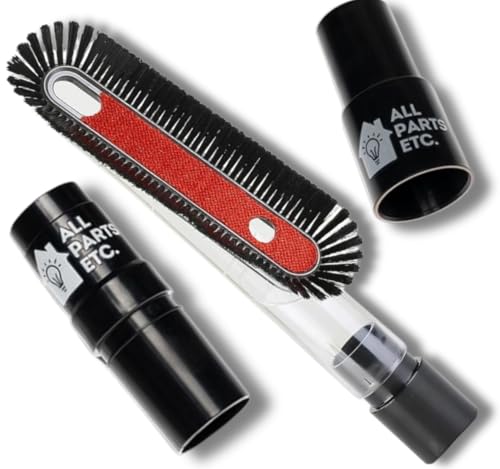
Universal Fit Design: Equipped with a 1.25-inch (32mm) diameter fitting and adapters for 1 3/8-inch and 1.5-inch connections, ensuring compatibility with Shop Vac, Eureka, Bissell, Kirby, Rainbow, Shark, Hoover Beam, Nutone, and most central vacuum systems.

Rich Package: The chaseroad 3PCS Horse Hair Brush shop vac accessories set, which includes 2 durable and scratch-resistant brushes, 1 vacuum adapter (1 1/4″ to 1 3/8″). Our round brush attachment works on a variety of surfaces, making it easy to keep your home clean and as convenient as possible.

𝐏𝐫𝐞𝐦𝐢𝐮𝐦 𝐌𝐚𝐭𝐞𝐫𝐢𝐚𝐥: Made from high-quality plastic and equipped with soft, dense bristles, our vacuum PP hair brush is robust, sturdy, and not easy to damage or break, ensuring long-term use
How to Clean the Blades and Motor Area Without Breaking Anything
To clean the blades and motor area without damaging anything, start by unplugging the fan to ensure safety. Remove the housing screws with a Phillips-head screwdriver, taking care not to force or overtighten during reassembly. Use a brush attachment on your vacuum to gently remove loose dust from the blades, holding the blades steady if possible to prevent bending or imbalance. A soft brush can loosen caked-on dust, making it easier to wipe away with a slightly damp microfiber cloth—avoid soaking the cloth or applying excessive moisture near electrical components. For disassembly, remove screws securing the base and disconnect it from the tower, then carefully separate clips holding housing components to access deeper parts to prevent dust build-up. For consistent fragrance performance, you can also rotate the reeds periodically to refresh the scent throw.
When cleaning the motor area, vacuum visible dust with gentle suction, and use compressed air sparingly and diagonally—never straight-on—to prevent disturbing the motor lubrication. Keep liquid cleaners away from the motor to avoid damaging bearing components. Be gentle and deliberate during cleaning because mishandling the blades or knocking the motor can throw off the blade balance, leading to vibrations or noise after reassembly. After thoroughly cleaning, allow all parts to dry completely before putting everything back together to prevent moisture-related issues. Using a HEPA air purifier alongside your fan can further reduce airborne dust accumulation in the room.
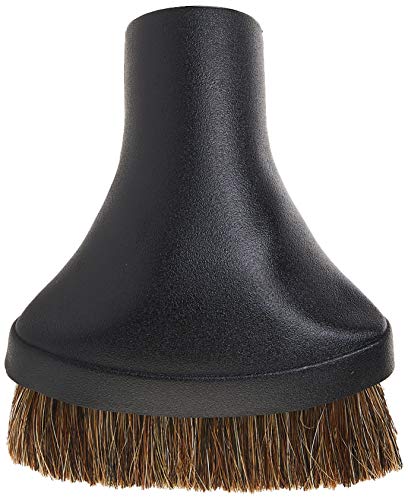
This vacuum accessory will fit all major canister vacuums, upright vacuums and central vacuum brands with 1.25 Inch connections

The inner diameter is 1.25 incn(32mm), fits all vacuum cleaners accepting 1-1/4incn inner diameter attachment
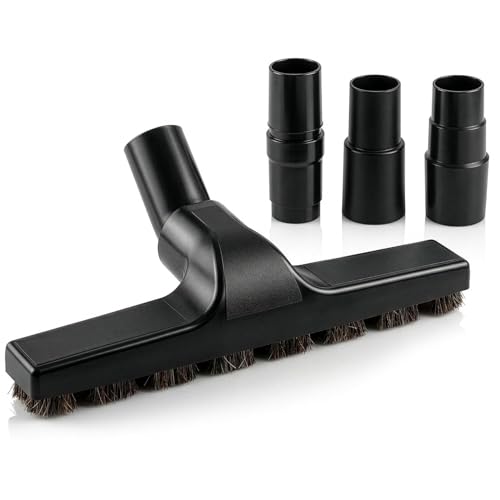
⚠️SIZE INFO – SEE IMAGE 2⚠️ These vacuum cleaner attachments fit a 1.25" tube and measure 10.2" x 1.6". Three hose adapters cover 1.1" to 1.52", so the brush also meets wider and narrower hoses
Step-by-Step Guide to Reassembling Your Seville Tower Fan Correctly
To reassemble your Seville Tower Fan correctly, start by reattaching the base. Ensure the bottom shell aligns properly with the pedestal before tightening any screws or hardware. Next, place the unit on a soft surface to prevent damage or stress during reassembly.
Match the plastic tabs and slots on the grille and cover sections carefully, avoiding force to prevent breaking the plastic. If you notice any bent metal screen tabs, straighten them before proceeding to fit parts together. Reconnect internal wiring, routing cables through their original openings to prevent pinching or damage.
Secure the control panel only after the inner plate is properly seated in its position. Replace all screws in the same order and location as during disassembly. Tighten them just enough to hold everything securely, but avoid over-tightening to prevent cracking or warping the plastic.
Finally, check that all panels sit flush with no gaps, ensuring the fan’s safety and proper operation. Before full use, test the fan at low speed to confirm all components are aligned correctly and functioning as intended.
How Often Should You Clean a Seville Tower Fan? Maintenance Schedule
The frequency of cleaning your Seville tower fan depends on how often you use it. If you run it daily, aim to clean it every 3 to 4 weeks. For continuous use all day or if you have pets, cleaning every 2 weeks helps keep the air quality good. When used only occasionally, every 2 to 3 months is sufficient. Regular dusting every 2 to 4 weeks prevents visible grime buildup. Additionally, vacuum the vents once a month to remove hidden dust and debris. A thorough deep clean should be performed at the start or end of each season to maintain optimal performance. Be attentive to signs such as a musty smell or decreased airflow, which indicate immediate cleaning is needed. Noisy operation is another sign of buildup affecting noise reduction. Always dry your fan completely after deep cleaning before storing it, to protect its longevity and ensure it operates efficiently. Adjust your cleaning routine based on your environment and how frequently you use the fan.